Troubleshooting Embedded Linux Pt1
Using Dynamic Debug (debugfs)
Check dynamic debug option is enabled in the kernel build
grep CONFIG_DYNAMIC_DEBUG= /boot/config-uname -r

If this is not enabled then you will need to set this option inmake menuconfigand rebuild the kernel
Working with module names
If you want to work with a single module use themodulequery and the module name . Note, replacewith the module name)
- Find the module name from list of installed modules:
lsmod | sort - Check the module flags
grep -i /sys/kernel/debug/dynamic-debug/control - Find any options that are enabled for that module
awk '$3 != "=_"' control | grep -i - Disable all options for module:
echo "module -p" > control - Enable all options for module:
echo "module +p" > control
Working with multiple modules
If you want to enable/disable multiple modules at once you can use the file query and wildcard combination:
- Disable all USB debug message in kernel log
- Disable USB debug
echo "file drivers/usb/* -p" > control - confirm all debug is disabled for USB (should output '0')
awk '$3 != "=_"' control | grep -i usb | wc -l - Clear the kernel log
dmesg -C - plugin in your USB device (Here I plug in an ESP32 devkit)
- check the kernel log
dmesg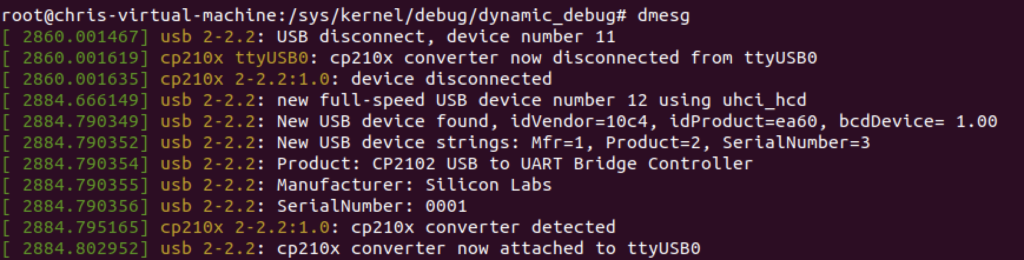
- Disable USB debug
- Enable all USB debug messages in kernel log
- Enable USB debug with all flags (file, line, module, thread)
echo "file drivers/usb/* +pflmt" > control - confirm all debug is enabled for USB (should output non-zero value)
awk '$3 != "=_"' control | grep -i usb | wc -l - Clear the kernel log
dmesg -C - plugin in your USB device (Here I plug in an ESP32 devkit)
- check the kernel log
dmesg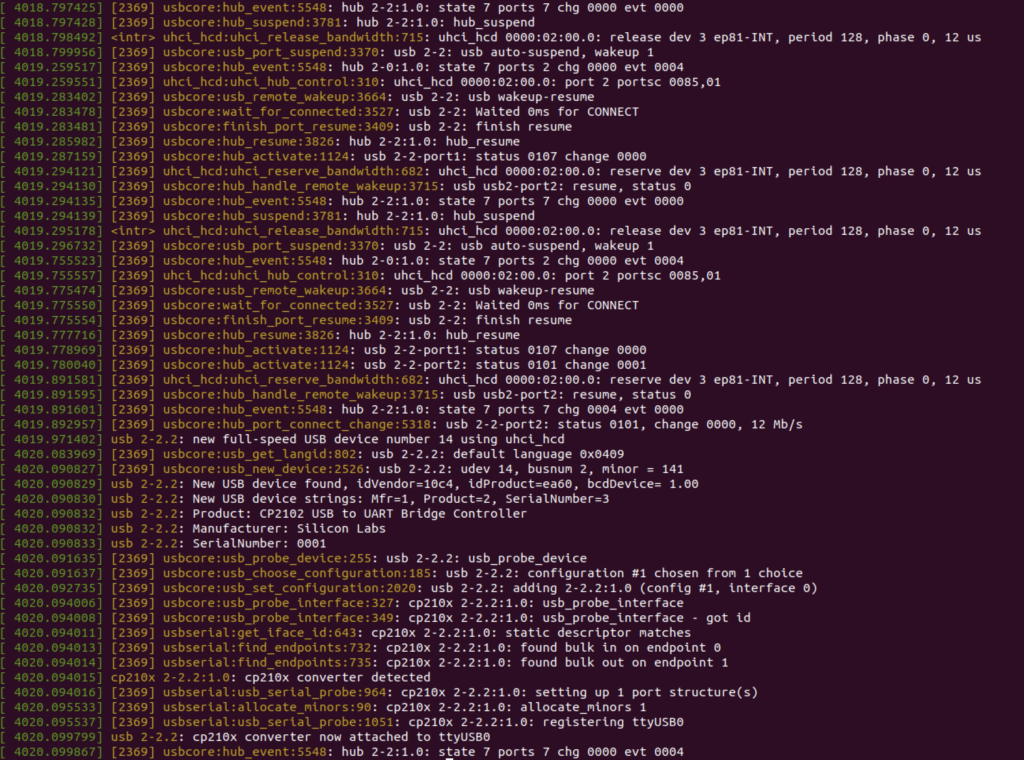
- Enable USB debug with all flags (file, line, module, thread)